Work
My Role
Product Design — Data Visualization, Visual Design, Prototyping
Team
Senior Design Associate (Me)
Senior Design Specialist
Timeline
2 weeks
TL;DR
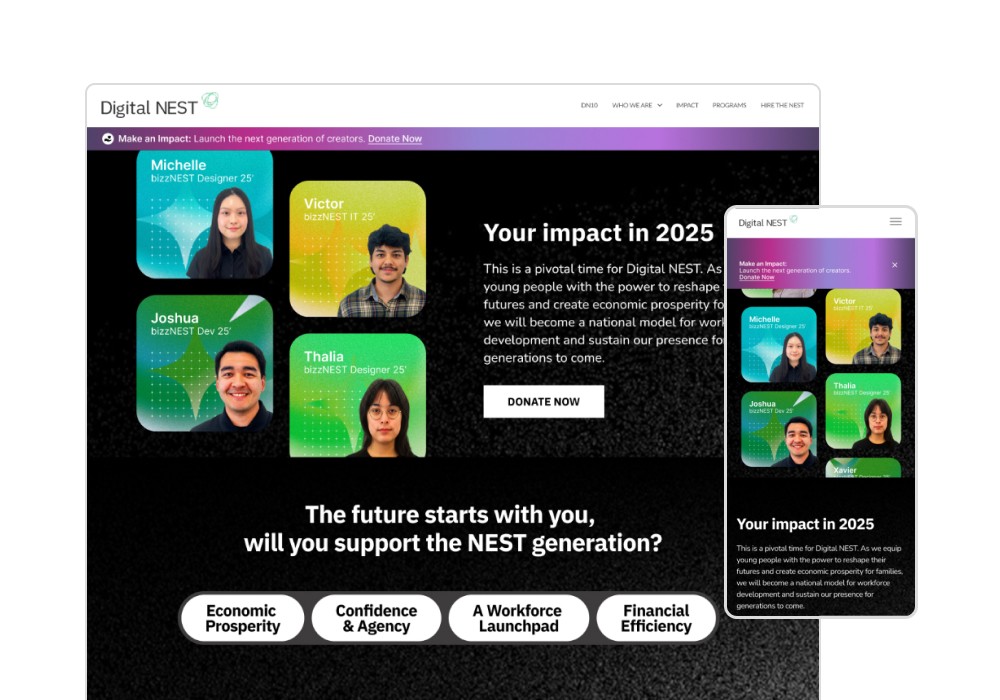
Redesigned Digital NEST’s End-of-Year donor landing page to improve impact comprehension and reduce friction in a high-intent conversion flow. Structured four dense impact categories into narrative sections, designed two data visualizations, and introduced a mobile-first interaction system that reduced vertical scroll depth by ~48%.
Live Site
Context + Problem
Setting the Scene
Catching Donor's attention
Digital NEST’s End-of-Year page functions as a conversion-focused landing experience. Visitors arrive to evaluate impact and decide whether to donate, making clarity and trust critical to conversion.
Previous iterations were visually functional but relied on long-scroll layouts and static data blocks. On mobile, this created excessive scroll depth and cognitive load, increasing friction before users reached the donation CTA.
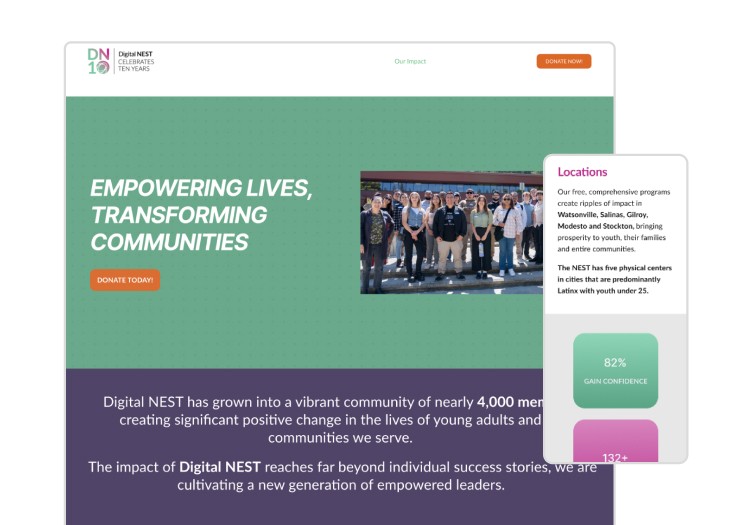
Previous website design
The Problem
The page needed to:
Communicate four complex impact categories clearly
Apply updated branding and motion principles
Maintain transparency across incomplete datasets
Reduce mobile friction without removing content
The risk: overwhelming users in a conversion-critical moment.
Design Process
Getting Straight to Work
Structuring the Conversion Narrative
We reframed the page into four structured impact “chapters,” each designed to progressively answer a donor’s core evaluation questions:
What changed?
Who benefited?
Why does this matter?
Rather than presenting metrics as isolated statistics, we combined data visualization, concise copy, and subtle motion to guide attention and reduce cognitive load.
This shifted the experience from informational to persuasive.
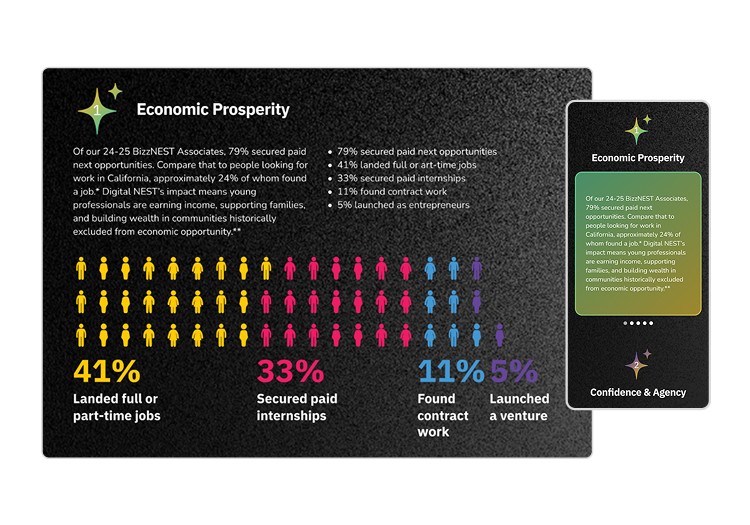
Redesigned website on desktop and mobile view
Designing Data for Trust and Scannability
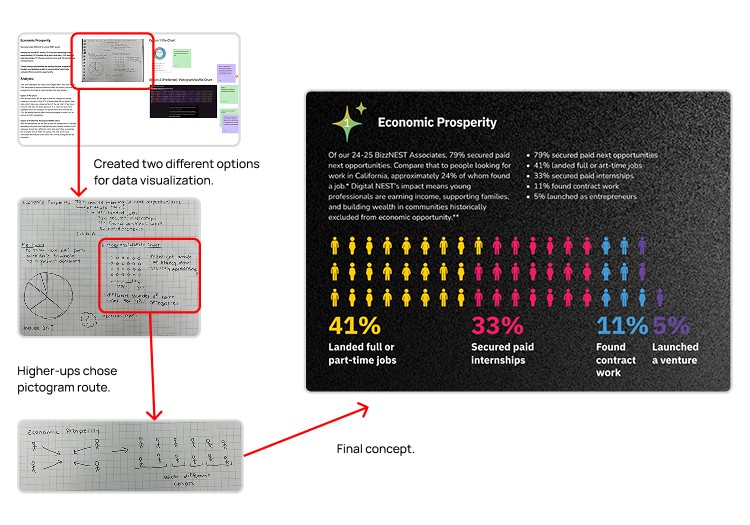
Data visualization process from sketches to final concept
Confidence & Agency
Challenge:
This category relied on standalone percentage metrics.
Solution:
To improve comprehension, I created a modular card system pairing:
Iconography
Prominent percentage values
Short explanatory copy
This improved scannability and supported mobile-first consumption patterns.
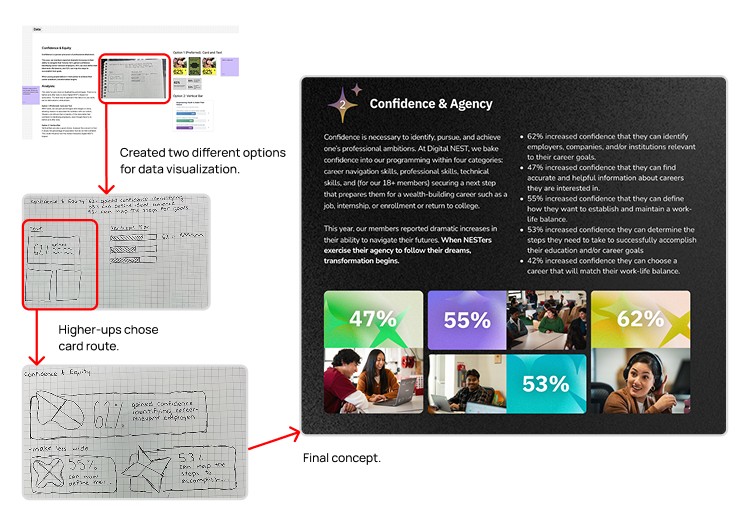
Data visualization process from sketches to final concept
Using Motion to Guide Attention
Motion was used to reinforce hierarchy.
I contributed by:
Defining sequencing and easing to guide reading order
Adapting transitions for smaller breakpoints
Creating Smart Animate prototypes to communicate behavior to engineers
Providing developer-ready motion specs reduced implementation ambiguity and improved cross-functional alignment.
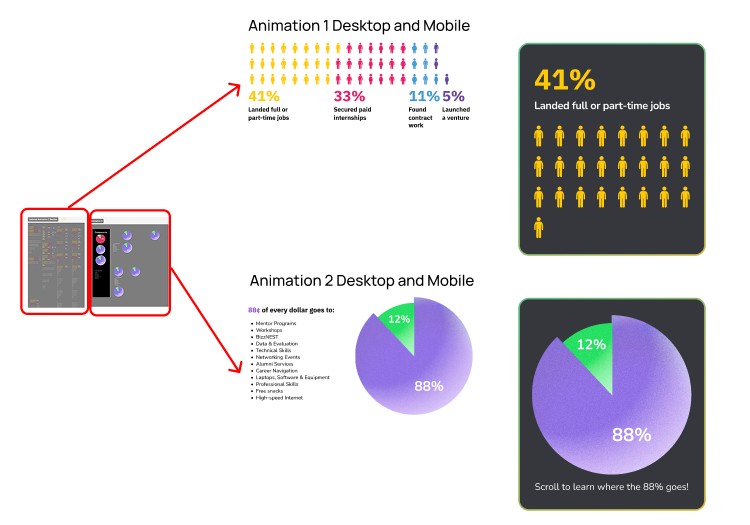
Animation design process and outcome
Realizing the website sucked on mobile…
When adapting the finalized desktop design to mobile, we identified a key usability issue:
The long-scroll layout created scroll fatigue and made the experience feel heavier than intended.
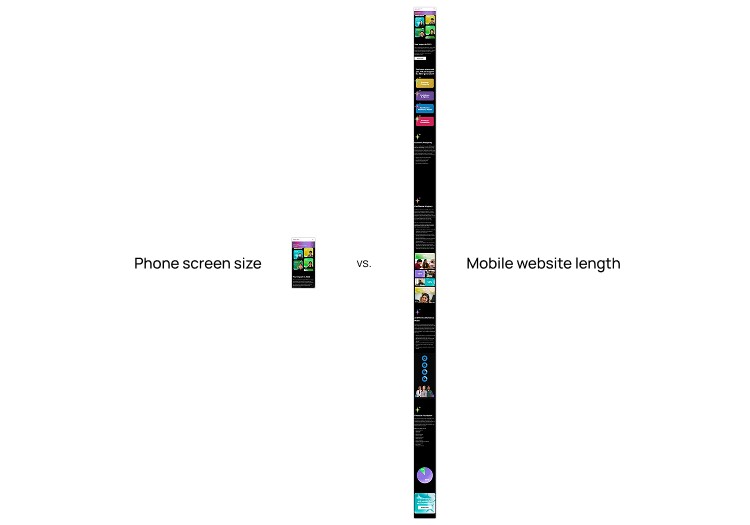
Phone screen size versus mobile website length
You live and you learn…
Rather than compressing content, we explored alternative interaction patterns.
We introduced horizontal card carousels for each impact section.
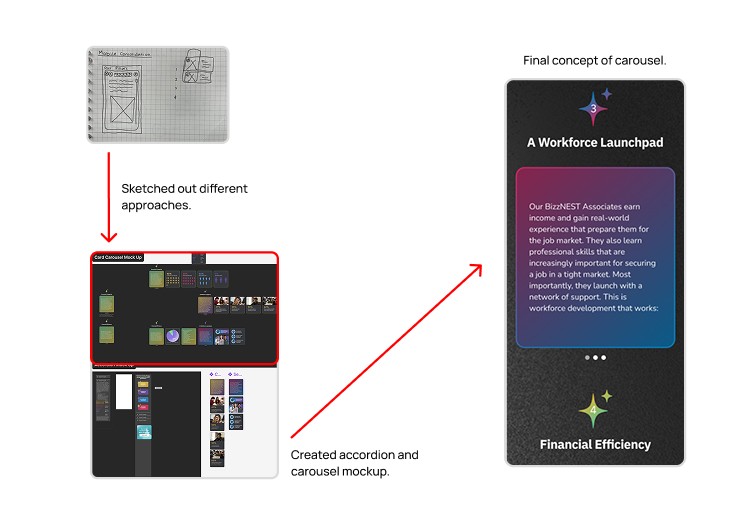
Mobile design process
This helped:
Break dense content into digestible, swipeable units
Preserve all copy and supporting visuals
Reduce vertical scroll depth by ~48%
Create a clearer separation between narrative sections
Treating mobile as its own system improved usability without sacrificing information density.
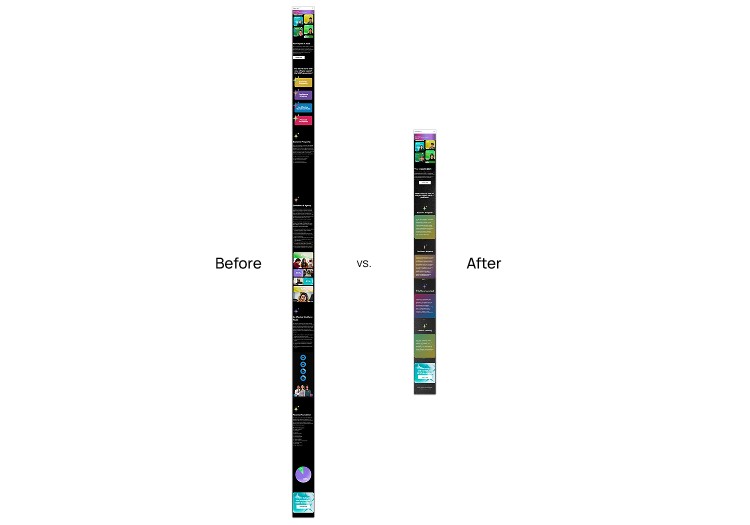
Mobile redesign before versus after
Outcome
Seeing it all come together
Final Design
The redesign resulted in:
Clearer impact communication across four data categories
~48% reduction in mobile vertical scroll depth
Improved pacing in a conversion-critical flow
Stronger alignment between brand, mission, and donor experience
Production-ready motion prototypes for accurate implementation
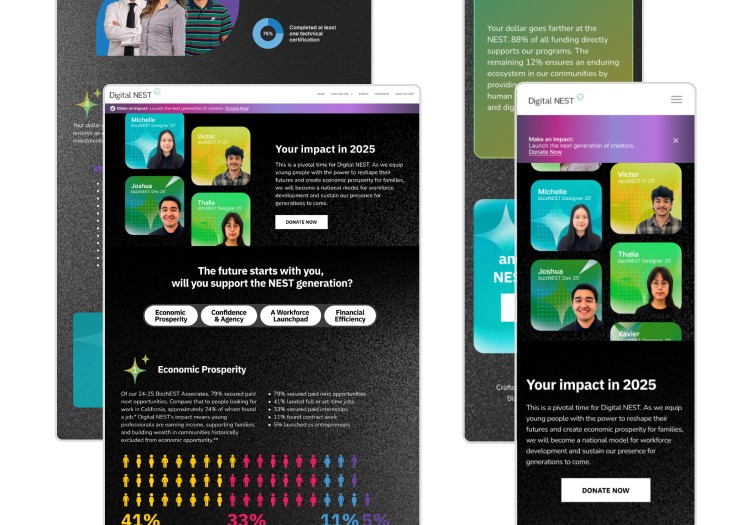
Desktop and mobile final designs
Conclusion
Reflecting back on my work
Lessons learned
Conversion flows depend on cognitive load
Well-designed content can create friction if information density is not structured intentionally.
Responsive design requires interaction rethinking
Mobile adaptation is more than compression; it often requires a new interaction model.
Motion should reinforce hierarchy
When used intentionally, motion can improve clarity and pacing rather than distract from content.
Now what?
If given more time, I would validate and iterate on the experience through:
Usability testing to measure donor comprehension across impact sections
Scroll-depth and engagement analytics to assess carousel interaction effectiveness
CTA click-through analysis to understand how storytelling influences donation intent
A potential A/B test comparing carousel vs. stacked layouts to measure engagement and completion behavior